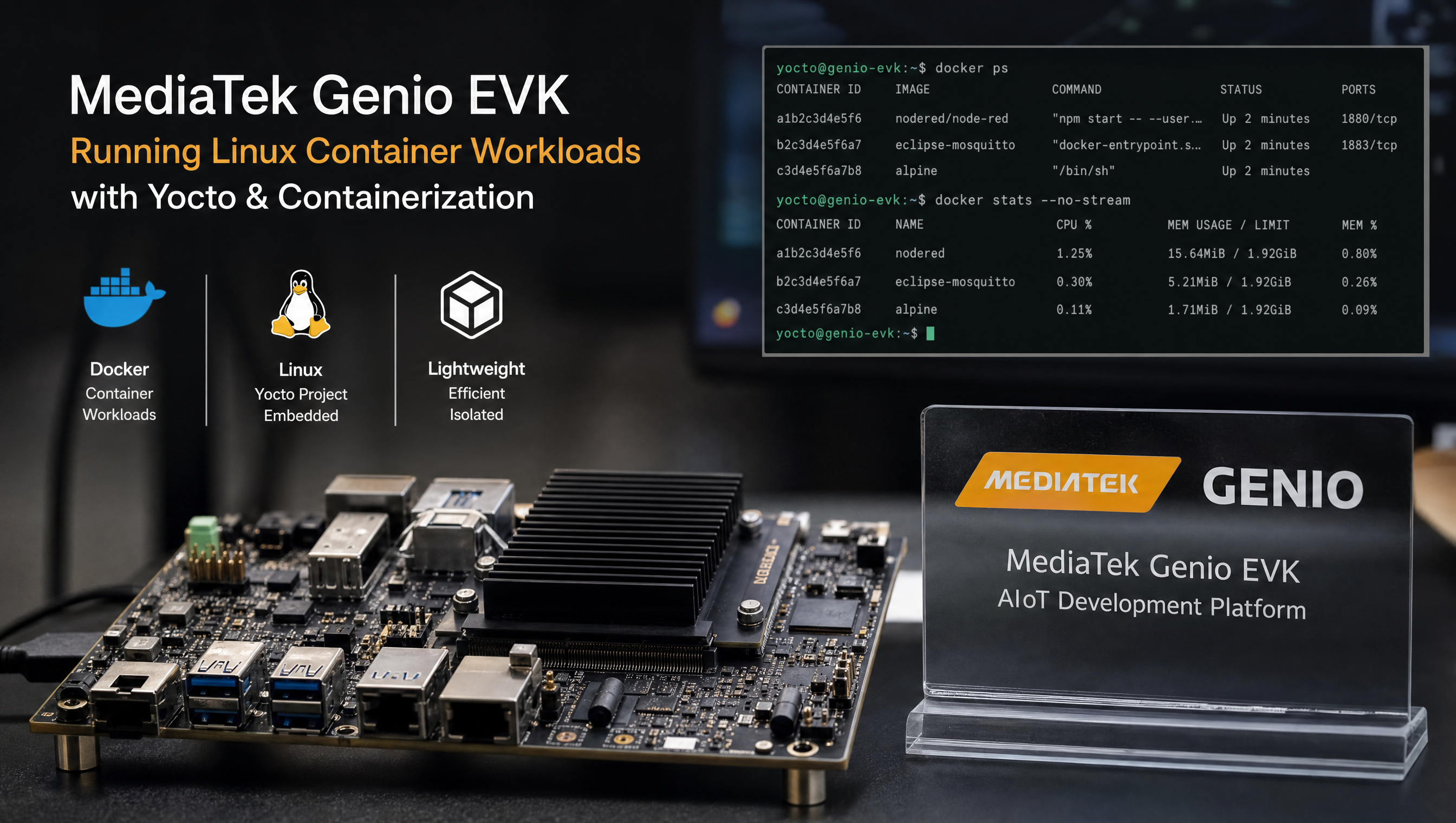
Linux containers on MediaTek Genio with Yocto
Linux containers on Genio let you isolate applications from the BSP, manage dependencies independently of the root filesystem, and deploy workloads using standard container tooling. The Genio Linux kernel supports all the required features, cgroups, namespaces, OverlayFS, but the default RITY Yocto image does not include container runtime packages. Adding them requires meta-virtualization and one DISTRO_FEATURES flag.
Key Insights
meta-virtualizationis the layer: it provides Docker, containerd, runc, and LXC recipes for Yocto scarthgapDISTRO_FEATURES += "virtualization"is the single flag that gates all container dependencies in the build- cgroup v2 works on Genio: set
systemd.unified_cgroup_hierarchy=1in the kernel command line for unified cgroup hierarchy - OverlayFS is required for Docker: it is enabled in the default Genio kernel config; verify with
grep OVERLAY_FS .config - Docker and LXC serve different use cases: Docker for application containers, LXC for system containers
Adding meta-virtualization to the build
Step 1: Clone the layer
git clone https://github.com/openembedded/meta-virtualization.git \
  -b scarthgap \
  sources/meta-virtualization
Step 2: Add to bblayers.conf
BBLAYERS += " \
  ${BSPDIR}/sources/meta-virtualization \
"
Step 3: Enable the DISTRO_FEATURE
In conf/local.conf or your custom distro:
DISTRO_FEATURES:append = " virtualization"
This flag enables the kernel config fragments and package dependencies that containers require. Without it, cgroup device support, veth, and bridge networking are not guaranteed to be present.
Docker setup
Add Docker to IMAGE_INSTALL
IMAGE_INSTALL:append = " \
  docker-ce \
  docker-ce-cli \
  containerd \
  runc \
  docker-init \
"
For a lighter setup using containerd only (no Docker daemon):
IMAGE_INSTALL:append = " containerd nerdctl"
nerdctl is a Docker-compatible CLI for containerd that works without the Docker daemon.
Verify required kernel config
# From build directory
bitbake -e virtual/kernel | grep "^KCONFIG_MODE"
# Then check specific options:
grep -E "CONFIG_CGROUPS|CONFIG_NAMESPACES|CONFIG_OVERLAY_FS|CONFIG_VETH|CONFIG_BRIDGE" \
  tmp/work/*/linux-mtk/*/build/.config
All of these are enabled in the default Genio kernel config:
CONFIG_CGROUPS=y
CONFIG_CGROUP_DEVICE=y
CONFIG_CGROUP_CPUACCT=y
CONFIG_MEMCG=y
CONFIG_NAMESPACES=y
CONFIG_NET_NS=y
CONFIG_PID_NS=y
CONFIG_IPC_NS=y
CONFIG_UTS_NS=y
CONFIG_OVERLAY_FS=y
CONFIG_VETH=y
CONFIG_BRIDGE=y
CONFIG_NF_NAT=y
cgroup v2 configuration
To use unified cgroup hierarchy (cgroup v2):
In your bootloader config (U-Boot), add to the kernel command line:
systemd.unified_cgroup_hierarchy=1
Or in conf/local.conf:
APPEND:append = " systemd.unified_cgroup_hierarchy=1"
Verify on the target:
cat /sys/fs/cgroup/cgroup.controllers
# Should show: cpuset cpu io memory hugetlb pids rdma misc
First container run
# Start Docker daemon
systemctl start docker
systemctl enable docker

# Verify
docker info | grep -E "Server Version|Storage Driver|Cgroup"

# Hello world
docker run --rm arm64v8/ubuntu:22.04 uname -m
# aarch64
Use arm64v8/ images from Docker Hub, these are built for aarch64 and run natively on Genio without emulation.
Docker Compose
IMAGE_INSTALL:append = " python3-docker-compose"
Example compose file for a sensor data pipeline:
# docker-compose.yml
version: "3.8"
services:
  sensor-bridge:
    image: arm64v8/python:3.11-slim
    devices:
      - "/dev/i2c-0:/dev/i2c-0"
    volumes:
      - "./app:/app"
    command: python3 /app/sensor_bridge.py

  inference:
    image: your-tflite-image:latest
    devices:
      - "/dev/mali0:/dev/mali0"
    depends_on:
      - sensor-bridge
LXC system containers
LXC is better suited when you need a full OS environment in the container, for example, running Ubuntu alongside the RITY rootfs, or isolating a full application stack with its own init system.
Add LXC to the image
IMAGE_INSTALL:append = " lxc"
Create and start an LXC container
# Create an Ubuntu container
lxc-create -n myapp -t download -- \
  --dist ubuntu --release jammy --arch arm64

# Start it
lxc-start -n myapp

# Attach a shell
lxc-attach -n myapp

# Stop
lxc-stop -n myapp
LXC containers use a configuration file at /var/lib/lxc/<name>/config. Pass hardware devices:
# /var/lib/lxc/myapp/config
lxc.mount.entry = /dev/mali0 dev/mali0 none bind,create=file 0 0
lxc.mount.entry = /dev/i2c-0 dev/i2c-0 none bind,create=file 0 0
lxc.cgroup2.devices.allow = c 226:* rwm
Choosing between Docker and LXC
| Docker | LXC | |
|---|---|---|
| Use case | Application containers | System containers |
| Filesystem | OverlayFS (layered, read-only images) | Persistent disk storage |
| Init system | No (single process per container) | Yes (full systemd or init) |
| Image registry | Docker Hub, private registries | No standard registry |
| Update workflow | Pull new image, restart | In-place package updates |
| Resource overhead | Low | Medium |
| Best for on Genio | AI inference, API servers, isolated services | Full OS environment, legacy app porting |
Container image storage
Docker stores images in /var/lib/docker by default. On Genio boards with eMMC as the only storage, this fills up quickly. Move Docker’s data directory to external storage or a larger partition:
# Stop Docker
systemctl stop docker

# Move data directory
mv /var/lib/docker /mnt/data/docker

# Configure Docker to use new location
cat > /etc/docker/daemon.json <<EOF
{
  "data-root": "/mnt/data/docker"
}
EOF

systemctl start docker
For GPU-accelerated containers including Mali passthrough and NPU device passthrough, see Docker with GPU acceleration on MediaTek Genio. For the base Yocto build that containers run on, see Yocto build guide for MediaTek Genio.
FAQ
What Yocto layer provides container support for Genio?
meta-virtualization from the OpenEmbedded layer index provides Docker (docker-ce), containerd, runc, and LXC for Yocto scarthgap. Add it to bblayers.conf and add virtualization to DISTRO_FEATURES.
Does cgroup v2 work on Genio Yocto?
Yes. The Genio kernel config enables cgroups and namespaces. To use cgroup v2 exclusively, add systemd.unified_cgroup_hierarchy=1 to the kernel command line in your bootloader config. Docker works with both cgroup v1 and v2 on Genio.
Can I use Docker Compose on Genio Yocto?
Yes. Add python3-docker-compose to IMAGE_INSTALL. The Compose file format works identically to x86 Linux.
What is the difference between Docker and LXC on Genio?
Docker runs application containers with a layered filesystem (OverlayFS) and a container registry workflow. LXC runs system containers that look like lightweight VMs with persistent storage. Docker is better for application isolation and CI/CD workflows. LXC is better for running a full OS environment alongside the host.
Relevant Services
MediaTek Genio Expert Support
Building on MediaTek Genio?
BSP bring-up, GStreamer pipelines, NeuroPilot integration, we've shipped it. Get unblocked fast. One call to scope it, fixed bid to deliver it.
Frequently Asked Questions
What Yocto layer provides container support for Genio?
meta-virtualization from the OpenEmbedded layer index provides Docker (docker-ce), containerd, runc, and LXC for Yocto scarthgap. Add it to bblayers.conf and add 'virtualization' to DISTRO_FEATURES. It is compatible with the MediaTek IoT Yocto BSP.
Does cgroup v2 work on Genio Yocto?
Yes. The Genio kernel config enables cgroups and namespaces. To use cgroup v2 exclusively, add 'systemd.unified_cgroup_hierarchy=1' to the kernel command line in your bootloader config. Docker works with both cgroup v1 and v2 on Genio.
Can I use Docker Compose on Genio Yocto?
Yes. Add python3-docker-compose to IMAGE_INSTALL (available in meta-virtualization). Docker Compose v2 as a Go binary is also available as docker-compose-v2. The Compose file format works identically to x86 Linux.
What is the difference between Docker and LXC on Genio?
Docker runs application containers with a layered filesystem (OverlayFS) and a container registry workflow. LXC runs system containers that look like lightweight VMs with persistent storage. Docker is better for application isolation and CI/CD workflows. LXC is better for running a full OS environment alongside the host.
Written by
Andrés CamposCo-Founder & CTO · ProventusNova
8 years deep in embedded systems, from underwater ROVs to edge AI. Andrés leads every technical delivery personally.
Connect on LinkedInRelated Articles
Docker with GPU acceleration on MediaTek Genio
Run GPU-accelerated Docker containers on MediaTek Genio. Add meta-virtualization to Yocto, pass Mali GPU and peripherals, and run inference in containers.
Building a custom Yocto meta layer for MediaTek Genio
Create a custom Yocto meta layer for MediaTek Genio. layer.conf, kernel bbappend, DTS overlays, machine config, custom distro, and the RITY skeleton pattern.
NDA vs public Yocto build on MediaTek Genio: what's the difference
What the NDA build unlocks on MediaTek Genio, what the public build includes, and when you actually need the NDA to ship a product.
What is RITY? MediaTek's Genio reference distribution explained
RITY is MediaTek's reference Yocto distribution for Genio. Distro variants, layer structure, packagegroups, KAS build system, and what RITY is not.