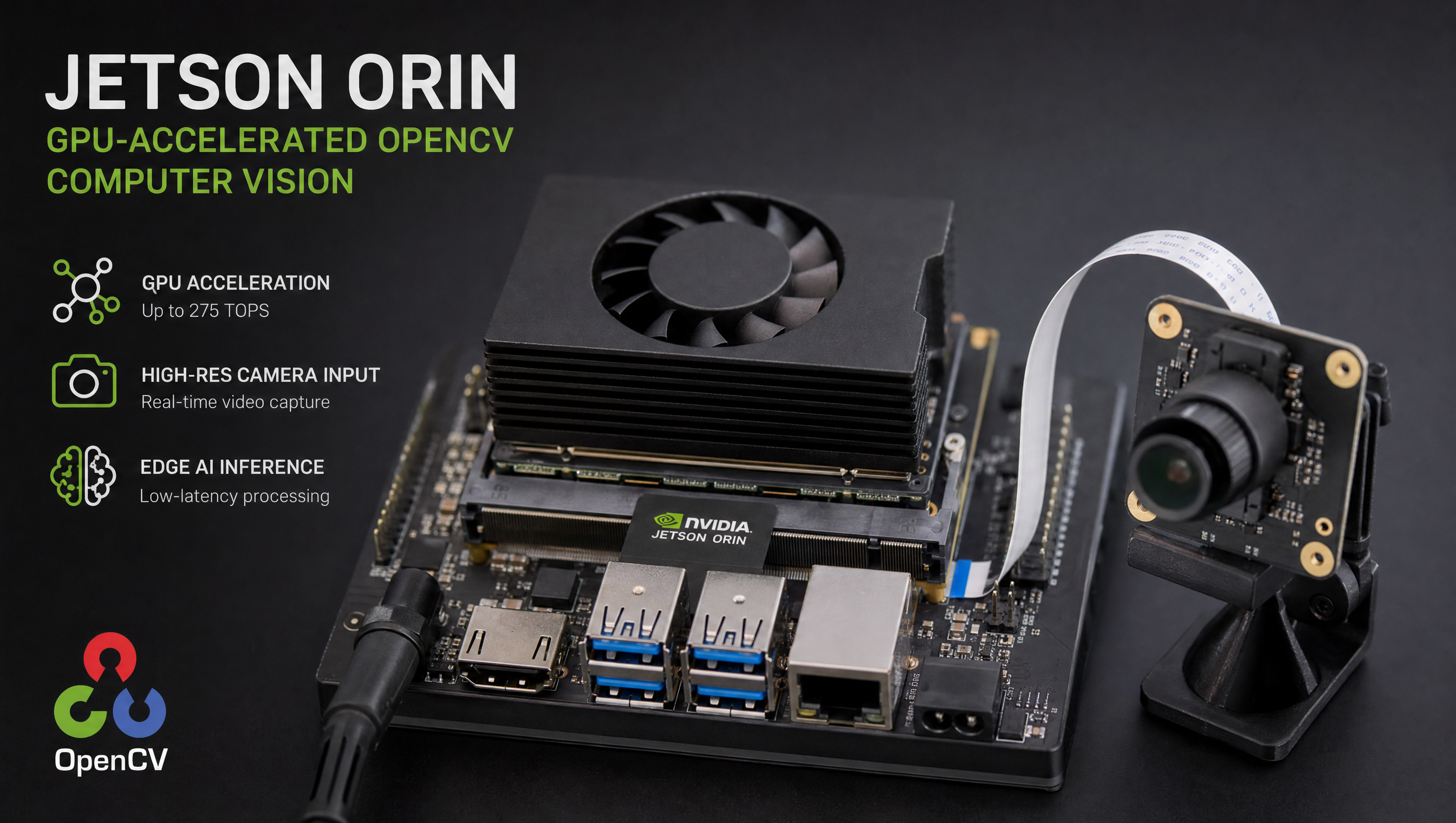
OpenCV with CUDA on Jetson: CUDA_ARCH_BIN, cmake flags, JetPack 5 and 6
Installing OpenCV with CUDA support on Jetson is not as simple as a package manager install, the prebuilt packages either lack CUDA support or link against the wrong CUDA version. Building from source with the right CMake flags gets you CUDA-accelerated OpenCV, but the build process has several known pitfalls that cost hours if you hit them blind.
Key Insights
apt install python3-opencvgives you a CPU-only build, it was compiled without CUDA flags and will not use the GPU for any operation, even on Jetson- CUDA architecture (
CUDA_ARCH_BIN) must match your Jetson module, Orin is 8.7, Xavier is 7.2, Nano is 5.3; wrong value = silent fallback to CPU - Build time ranges from 20 minutes (Orin AGX) to 2 hours (Nano), add swap space before building on lower-end modules or the compiler will OOM and abort
- JetPack 5 and 6 have the same cmake flags, the difference is in the pre-installed CUDA version (11.4 vs 12.x) and the available CUDA architectures
- Uninstall the apt package before building, conflicts will cause import errors even if the build succeeds
Why the apt package doesn’t use CUDA
This is the most common Jetson computer vision confusion we encounter. Run this on a fresh Jetson with the apt-installed OpenCV:
import cv2
print(cv2.cuda.getCudaEnabledDeviceCount())  # Returns 0
print(cv2.getBuildInformation())              # CUDA: NO
The NVIDIA apt repository ships OpenCV built without CUDA because the correct CUDA_ARCH_BIN value is hardware-specific. Jetson Orin uses compute capability 8.7; Xavier uses 7.2; Nano uses 5.3. A single generic apt package can’t encode all of these, so NVIDIA ships the CPU fallback and expects you to build from source.
The result is that every Jetson project doing computer vision needs a from-source OpenCV build at some point. Here’s the exact sequence that works.
What CUDA_ARCH_BIN should I use for my Jetson?
CUDA_ARCH_BIN tells the CUDA compiler which GPU compute capability to target. Using the wrong value means OpenCV’s CUDA code compiles for the wrong architecture and falls back silently to CPU on your hardware.
| Jetson module | Compute capability | CUDA_ARCH_BIN |
|---|---|---|
| AGX Orin, Orin NX, Orin Nano | 8.7 | 8.7 |
| AGX Xavier, Xavier NX | 7.2 | 7.2 |
| TX2, TX2 NX | 6.2 | 6.2 |
| Nano (original 2019, 4GB/2GB) | 5.3 | 5.3 |
Check your module if unsure:
cat /etc/nv_tegra_release | head -1
The output includes the L4T version. Cross-reference against the table: R36.x = Orin (8.7), R35.x = Orin or Xavier (check the module), R32.x = Nano (5.3).
Setting the wrong value does not cause a build failure, it causes a silent fallback. You will get getCudaEnabledDeviceCount() returning 1 (CUDA is present) but operations that should run on the GPU will run on the CPU instead. Always verify with a timed benchmark after the build.
Step 1: Remove the apt package and add swap
sudo apt remove python3-opencv libopencv-dev libopencv-contrib-dev -y
sudo apt autoremove -y
Add swap space before building. Without it, the compiler will OOM on modules with less than 16GB RAM:
sudo fallocate -l 8G /swapfile
sudo chmod 600 /swapfile
sudo mkswap /swapfile
sudo swapon /swapfile
Verify swap is active:
free -h
Step 2: Install build dependencies
sudo apt update
sudo apt install -y \
    build-essential cmake git pkg-config \
    libjpeg-dev libpng-dev libtiff-dev \
    libavcodec-dev libavformat-dev libswscale-dev \
    libgtk2.0-dev libcanberra-gtk* \
    python3-dev python3-numpy \
    libgstreamer1.0-dev libgstreamer-plugins-base1.0-dev \
    libv4l-dev v4l-utils
Step 3: Clone OpenCV and opencv_contrib
cd ~
git clone --depth 1 --branch 4.9.0 https://github.com/opencv/opencv.git
git clone --depth 1 --branch 4.9.0 https://github.com/opencv/opencv_contrib.git
Use matching version tags for both repos. Mismatched versions will fail at compile time.
Step 4: Build with CUDA flags
Find your CUDA architecture. Check your module first:
cat /etc/nv_tegra_release | head -1
Then use the right value:
| Jetson module | CUDA_ARCH_BIN |
|---|---|
| AGX Orin, Orin NX, Orin Nano | 8.7 |
| AGX Xavier, Xavier NX | 7.2 |
| TX2, TX2 NX | 6.2 |
| Nano (original 2019) | 5.3 |
cd ~/opencv
mkdir build && cd build

cmake -D CMAKE_BUILD_TYPE=RELEASE \
      -D CMAKE_INSTALL_PREFIX=/usr/local \
      -D OPENCV_EXTRA_MODULES_PATH=~/opencv_contrib/modules \
      -D WITH_CUDA=ON \
      -D CUDA_ARCH_BIN=8.7 \
      -D WITH_CUDNN=ON \
      -D OPENCV_DNN_CUDA=ON \
      -D WITH_GSTREAMER=ON \
      -D WITH_LIBV4L=ON \
      -D BUILD_opencv_python3=ON \
      -D BUILD_TESTS=OFF \
      -D BUILD_PERF_TESTS=OFF \
      -D BUILD_EXAMPLES=OFF \
      -D INSTALL_PYTHON_EXAMPLES=OFF \
      ..
Replace 8.7 with your module’s value from the table above.
Review the cmake output before building. Look for:
--   NVIDIA CUDA:                   YES (ver 12.2, CUFFT CUBLAS FAST_MATH)
--     NVIDIA GPU arch:             87
--   cuDNN:                         YES
--   GStreamer:                     YES
If CUDA shows NO, the CUDA toolkit path isn’t set correctly. On Jetson, CUDA is at /usr/local/cuda, verify with ls /usr/local/cuda/bin/nvcc.
Step 5: Compile and install
make -j$(nproc)
sudo make install
sudo ldconfig
On Jetson Nano this will take 90–120 minutes. On Orin AGX, closer to 25 minutes.
Step 6: Verify
import cv2

# Check CUDA is available
print("CUDA devices:", cv2.cuda.getCudaEnabledDeviceCount())

# Check build info for CUDA section
info = cv2.getBuildInformation()
cuda_start = info.find("NVIDIA CUDA")
print(info[cuda_start:cuda_start+200])

# Quick functional test
img = cv2.imread("test.jpg")
gpu_img = cv2.cuda_GpuMat()
gpu_img.upload(img)
gpu_gray = cv2.cuda.cvtColor(gpu_img, cv2.COLOR_BGR2GRAY)
result = gpu_gray.download()
print("GPU round-trip OK, shape:", result.shape)
getCudaEnabledDeviceCount() returning 1 confirms CUDA is active. If it returns 0 after a successful build, you have a Python path conflict, the old apt package is still being imported. Verify with python3 -c "import cv2; print(cv2.__file__)" to confirm the right .so is loading.
JetPack 5 vs JetPack 6 differences
The cmake flags are identical between JetPack 5 and 6. What changes:
| JetPack 5.x | JetPack 6.x | |
|---|---|---|
| CUDA version | 11.4 | 12.x |
| cuDNN version | 8.x | 9.x |
| Python default | 3.8 | 3.10 |
| Supported modules | Orin, Xavier | Orin only |
For JetPack 5 on Xavier, the CUDA_ARCH_BIN is 7.2. For JetPack 6 on Orin, it’s 8.7. Everything else in the build sequence is the same.
How fast is CUDA OpenCV vs CPU OpenCV on Jetson?
The speedup depends on the operation and image size. CPU-bound operations like color space conversion and resizing see the largest gains because the VIC and GPU parallelize work the CPU handles serially.
Typical results on Jetson AGX Orin at 1080p (measured with cv2.TickMeter):
| Operation | CPU time | CUDA time | Speedup |
|---|---|---|---|
cvtColor (BGR→Gray) | ~4 ms | ~0.4 ms | ~10x |
resize (1080p→720p) | ~3 ms | ~0.3 ms | ~10x |
GaussianBlur (15×15) | ~12 ms | ~1.2 ms | ~10x |
threshold | ~1.5 ms | ~0.2 ms | ~7x |
Canny edge detection | ~8 ms | ~1.5 ms | ~5x |
| DNN forward pass (MobileNet) | ~45 ms | ~6 ms | ~7x |
These are wall-clock times for a single-threaded CPU baseline vs a CUDA call with upload/download included. If you keep data on the GPU across multiple operations (upload once, chain CUDA ops, download once), the effective speedup is higher because you amortize the memory transfer.
The DNN module gains (WITH_CUDNN=ON + OPENCV_DNN_CUDA=ON) are the most impactful for inference workloads, 6-10x on Orin vs CPU is typical for classification networks under 10M parameters.
To benchmark your specific pipeline:
import cv2
import numpy as np

img = cv2.imread("test.jpg")
gpu_img = cv2.cuda_GpuMat()
gpu_img.upload(img)

timer = cv2.TickMeter()

# CPU
timer.start()
for _ in range(100):
    cv2.cvtColor(img, cv2.COLOR_BGR2GRAY)
timer.stop()
print(f"CPU cvtColor: {timer.getTimeMilli()/100:.2f} ms avg")
timer.reset()

# CUDA
timer.start()
for _ in range(100):
    cv2.cuda.cvtColor(gpu_img, cv2.COLOR_BGR2GRAY)
timer.stop()
print(f"CUDA cvtColor: {timer.getTimeMilli()/100:.2f} ms avg")
Run this on your target module to get accurate numbers for your use case before committing to a CUDA-based pipeline.
Troubleshooting common build failures
cc1plus: fatal error: Killed during compilation
The compiler process was OOM-killed. This always means insufficient memory. Fix: add 8GB swap before starting the build (fallocate -l 8G /swapfile && chmod 600 /swapfile && mkswap /swapfile && swapon /swapfile). If the OOM continues with swap, reduce parallelism to make -j4 or make -j2. On Jetson Nano, 8GB swap + make -j2 is the only reliable combination.
getCudaEnabledDeviceCount() returns 0 after a successful build
Python is loading the apt-installed OpenCV, not the one you built. The symptom: python3 -c "import cv2; print(cv2.__file__)" shows a path under /usr/lib/python3/dist-packages/. Fix: sudo apt remove python3-opencv libopencv-dev and reopen your terminal. The newly built .so at /usr/local/lib/python3.x/dist-packages/ then takes precedence.
cmake reports NVIDIA CUDA: NO
The CUDA toolkit isn’t on the path. On Jetson, CUDA lives at /usr/local/cuda. Verify:
ls /usr/local/cuda/bin/nvcc
export PATH=/usr/local/cuda/bin:$PATH
export LD_LIBRARY_PATH=/usr/local/cuda/lib64:$LD_LIBRARY_PATH
Add those exports to ~/.bashrc so they persist across sessions before re-running cmake.
WITH_CUDNN=ON but cmake shows cuDNN: NO
The cuDNN development headers are missing. Fix:
sudo apt install libcudnn8-dev  # JetPack 5
# or
sudo apt install libcudnn9-dev  # JetPack 6
Then verify /usr/include/cudnn.h exists and re-run cmake.
ImportError: libopencv_core.so.4.9: cannot open shared object file
The shared library path isn’t updated. Fix:
sudo ldconfig
If that doesn’t resolve it, add /usr/local/lib to /etc/ld.so.conf.d/opencv.conf and run sudo ldconfig again.
Building OpenCV with CUDA in Docker on Jetson
For reproducible deployments, building inside a container avoids polluting the host and makes the build portable across Jetson units.
Use an NVIDIA L4T base image that already includes CUDA:
FROM nvcr.io/nvidia/l4t-ml:r36.2.0-py3

RUN apt-get update && apt-get install -y \
    build-essential cmake git \
    libjpeg-dev libpng-dev \
    python3-dev python3-numpy \
    libgstreamer1.0-dev \
    && rm -rf /var/lib/apt/lists/*

RUN git clone --depth 1 --branch 4.9.0 https://github.com/opencv/opencv.git /opencv && \
    git clone --depth 1 --branch 4.9.0 https://github.com/opencv/opencv_contrib.git /opencv_contrib

RUN mkdir /opencv/build && cd /opencv/build && cmake \
    -D CMAKE_BUILD_TYPE=RELEASE \
    -D CMAKE_INSTALL_PREFIX=/usr/local \
    -D OPENCV_EXTRA_MODULES_PATH=/opencv_contrib/modules \
    -D WITH_CUDA=ON \
    -D CUDA_ARCH_BIN=8.7 \
    -D WITH_CUDNN=ON \
    -D OPENCV_DNN_CUDA=ON \
    -D WITH_GSTREAMER=ON \
    -D BUILD_opencv_python3=ON \
    -D BUILD_TESTS=OFF \
    -D BUILD_EXAMPLES=OFF \
    .. && make -j$(nproc) && make install && ldconfig
Run the container with GPU access:
docker build -t opencv-cuda-jetson .
docker run --runtime=nvidia --rm opencv-cuda-jetson \
    python3 -c "import cv2; print(cv2.cuda.getCudaEnabledDeviceCount())"
The --runtime=nvidia flag is required to expose the GPU inside the container. Without it, the CUDA device count will be 0.
If you’re also working out which JetPack version to target for your project, the JetPack versions and L4T compatibility table has a full breakdown. For production-grade inference pipelines on Jetson, the Jetson AI deployment service covers TensorRT optimization, model conversion, and throughput testing.
Relevant Services
NVIDIA Jetson Expert Support
Stuck on a Jetson bring-up?
We've debugged this failure mode before. BSP, device tree, camera pipelines, OTA, most blockers clear in the first session. No long retainers. No guessing.
Frequently Asked Questions
Why does apt install python3-opencv not include CUDA on Jetson?
The apt package is compiled without CUDA support to keep it generic and dependency-free. It runs entirely on the CPU. NVIDIA doesn't ship a CUDA-enabled OpenCV via apt because the correct CUDA architecture flags (CUDA_ARCH_BIN) depend on the specific Jetson module. You have to build from source with those flags set to your hardware.
How do I verify that OpenCV is using CUDA on Jetson?
In Python: import cv2; print(cv2.cuda.getCudaEnabledDeviceCount()). If this returns 1 or more, CUDA is available. Also check cv2.getBuildInformation() and look for the CUDA section, it will show Enabled: YES with the device count and CUDA architecture.
How long does it take to build OpenCV from source on Jetson?
On Jetson Orin AGX with 12 cores: 20–30 minutes. On Jetson Xavier NX (6 cores): 45–60 minutes. On Jetson Nano (4 cores, 4GB): 90–120 minutes and you need swap space. Set make -j$(nproc) and add at least 4GB of swap before building on lower-end modules.
What CUDA_ARCH_BIN value should I use for my Jetson?
Jetson AGX Orin / Orin NX / Orin Nano: 8.7. Jetson AGX Xavier / Xavier NX: 7.2. Jetson TX2: 6.2. Jetson Nano (original): 5.3. Using the wrong value means CUDA code compiles for the wrong architecture and may not run or may run slowly.
Do I need to uninstall the apt OpenCV before building from source?
Yes, if you have python3-opencv installed. The apt package installs to the same paths as the source build and will conflict. Remove it first: sudo apt remove python3-opencv libopencv-dev. Then build from source. If you need both the system package for other tools and the CUDA build for your project, use a virtual environment and install the built .whl into it.
My build succeeded but getCudaEnabledDeviceCount() still returns 0. What's wrong?
Python is importing the old apt OpenCV, not the one you just built. Run python3 -c "import cv2; print(cv2.__file__)", if it shows a path like /usr/lib/python3/dist-packages/cv2.so, the apt package is still present and taking precedence. Remove it with sudo apt remove python3-opencv, then confirm the path shows /usr/local/lib/python3.x/dist-packages/ after removal.
The compiler gets killed halfway through the build. How do I fix OOM errors?
The Jetson is running out of memory during compilation. cc1plus: fatal error: Killed is the symptom. Fix: add at least 8GB of swap (fallocate -l 8G /swapfile), and if the OOM persists, reduce parallelism to make -j4 instead of -j$(nproc). On Jetson Nano (4GB), 8GB swap + make -j2 is the reliable combination. The extra compile time is worth it over a build that aborts at 80%.
Can I build OpenCV with CUDA inside a Docker container on Jetson?
Yes. Use an NVIDIA L4T base image (nvcr.io/nvidia/l4t-base or l4t-ml) that already has CUDA installed. Add --runtime=nvidia when running the container so the GPU is accessible. The cmake flags are the same as the host build. One caveat: the built .so will be tied to the CUDA version in the container, make sure the base image CUDA version matches the JetPack on your host.
Which OpenCV version should I build on Jetson?
4.9.0 is the current stable release and works on both JetPack 5 and JetPack 6. Avoid OpenCV 4.10 if you use the DNN module with cuDNN, it changed the cuDNN API and is not compatible with cuDNN 8.x (JetPack 5). If you are on JetPack 6 with cuDNN 9.x, 4.10 is safe.
Should I enable WITH_CUDNN in the cmake flags?
Yes, if you use OpenCV's DNN module for inference (cv2.dnn.readNet and related functions). WITH_CUDNN=ON + OPENCV_DNN_CUDA=ON enables GPU acceleration for DNN forward passes, which can be 5–10x faster than CPU on Orin. If you only use OpenCV for image processing (resize, warp, threshold) and not DNN inference, the cuDNN flags have no effect but are harmless to include.
How do I install CUDA OpenCV into a Python virtual environment on Jetson?
Build OpenCV from source as normal (sudo make install), which installs to /usr/local/lib/python3.x/dist-packages/. Then symlink the built .so into your virtualenv: find /usr/local/lib -name 'cv2*.so' | head -1 and copy or symlink it to your venv's site-packages. Alternatively, build with -D OPENCV_PYTHON3_INSTALL_PATH=/path/to/venv/lib/python3.x/site-packages/ in the cmake flags to install directly into the venv.
Is there a pre-built CUDA OpenCV wheel for Jetson I can pip install?
NVIDIA does not ship a CUDA-enabled OpenCV wheel via pip. The Jetson Containers project (github.com/dusty-nv/jetson-containers) provides pre-built wheels for specific JetPack and OpenCV version combinations. This is the fastest option if your JetPack version is covered. Otherwise, build from source. The build takes 20-120 minutes depending on the module but is the only way to guarantee the correct CUDA_ARCH_BIN for your hardware.
Can I reuse the build cache if I need to rebuild OpenCV on Jetson?
Yes. The cmake build directory retains its cache between builds. If you only need to change a flag (e.g., add WITH_CUDNN=ON after an initial build without it), re-run cmake with the new flag in the existing build directory and then make -j$(nproc). cmake will only recompile the affected modules. Do not delete the build/ directory unless you want a full clean rebuild.

Written by
Aarón AnguloCo-Founder & CEO · ProventusNova
Obsessed with client outcomes. Aarón ensures every engagement delivers real results, on time, on scope, no exceptions.
Connect on LinkedInRelated Articles
JetPack versions and L4T compatibility: complete reference table
Complete JetPack version to L4T, CUDA, TensorRT, and supported module reference table. Includes how to check your running version and key differences.
The 30% Tax™ Is Not an Upwork Problem. It's a Jetson Expertise Problem.
20-30% of every engineering hour on Jetson BSP work is platform ramp. It hits internal teams the same as contractors. Here's what it costs and why.
Top 5 Embedded Software Companies for Jetson EdgeAI
The 5 best embedded software companies for NVIDIA Jetson EdgeAI projects. Platforms, pricing, delivery guarantees, and honest trade-offs compared.
Custom Carrier Board Not Booting on Jetson Orin: Fixed in One Session
Custom carrier board not booting on Jetson Orin? Farmhand AI's board booted in one session. Three BSP parameters cause most Jetson bring-up failures.