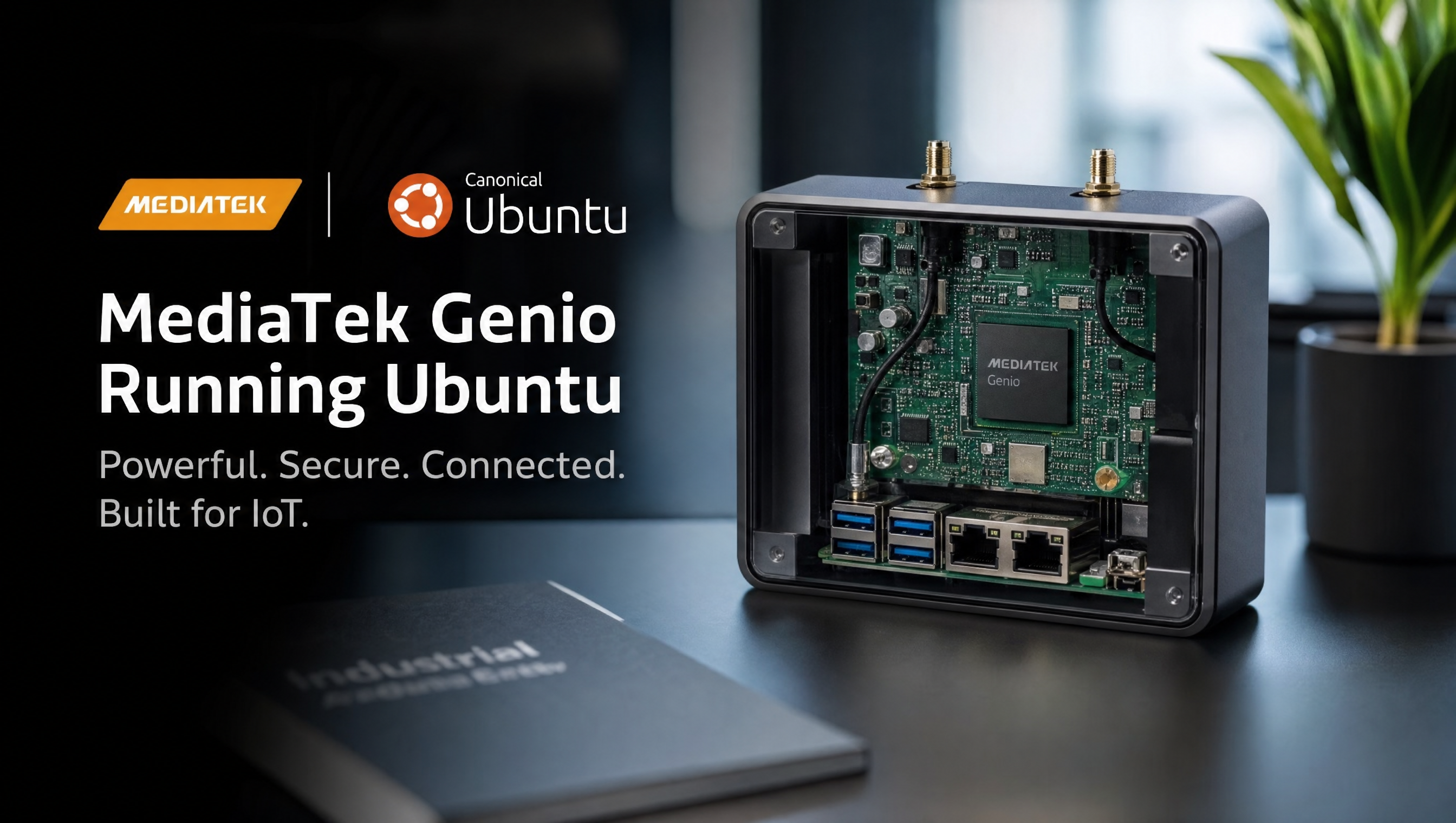
Commercializing a product with Ubuntu on MediaTek Genio
Ubuntu makes commercial Genio product development accessible to teams without embedded Linux expertise. The Ubuntu BSP from MediaTek gives you hardware acceleration, the familiar apt ecosystem, and a known quantity for security updates. The commercialization path, long-term support, update mechanisms, regulatory compliance tooling, is well-defined through Canonical’s Ubuntu Pro program.
Key Insights
- Ubuntu 22.04 LTS + MediaTek BSP is the validated starting point, the BSP adds Mali GPU, NeuroPilot NPU, VPU, and camera ISP drivers on top of standard Ubuntu
- Ubuntu Pro for Devices extends security updates to 10 years and adds compliance tooling, relevant for products with 5+ year field life
- Snap packages are the Canonical-recommended application delivery mechanism for IoT, self-contained, automatically updated, confined
- EFI capsule updates in the MediaTek BSP enable firmware-level OTA without a custom bootloader update mechanism
- Canonical certification for Genio hardware is available and can be a differentiator for enterprise and industrial buyers
MediaTek Ubuntu BSP
MediaTek distributes Ubuntu BSP packages for Genio through their partner portal. The BSP adds hardware driver packages on top of a standard Ubuntu 22.04 LTS ARM64 base:
| Package category | What it includes |
|---|---|
| GPU driver | Mali-G57 userspace libraries (EGL, OpenGL ES, OpenCL, Vulkan) |
| VPU | Hardware video decode/encode GStreamer plugins |
| NPU | NeuroPilot runtime (TFLite delegate, ONNX NeuronExecutionProvider) |
| Camera ISP | V4L2 + libcamera integration (public tier) |
| Display | Weston Wayland compositor with Mali acceleration |
| Tools | genio-flash firmware update tool |
Installation on a base Ubuntu 22.04 image:
# Add the MediaTek BSP apt repository
curl -fsSL https://mediatek-iot.ubuntu.com/key.gpg | sudo apt-key add -
echo "deb https://mediatek-iot.ubuntu.com/apt jammy main" | \
  sudo tee /etc/apt/sources.list.d/mediatek-iot.list

sudo apt update
sudo apt install mtk-genio-bsp
Ubuntu Pro for Devices
Standard Ubuntu 22.04 LTS support ends April 2027 (5 years). For products that ship today and stay in the field for 5–10 years, Ubuntu Pro for Devices is the commercial support tier.
What Ubuntu Pro for Devices adds:
| Feature | Standard Ubuntu | Ubuntu Pro for Devices |
|---|---|---|
| Security updates | 5 years | 10 years |
| Kernel live patching | No | Yes (Livepatch) |
| FIPS 140-2 compliance | No | Yes |
| CIS benchmark hardening | No | Tooling included |
| Canonical support SLA | Community | Commercial |
| Extended hardware security | No | Yes (ESM for all packages) |
Pricing: Ubuntu Pro for Devices is licensed per device. Contact Canonical for volume pricing. For low-volume products (<1000 units), the cost is typically a few dollars per device per year.
When you need it:
- Products with a field life past April 2027 (Ubuntu 22.04 standard EOL)
- Industrial, medical, or defense applications with compliance requirements (FIPS, IEC 62443)
- Products sold to enterprise buyers who require documented security maintenance
# Enable Ubuntu Pro on a deployed device
ubuntu-pro attach <token>
ubuntu-pro status
Application packaging with snap
Snap is Canonical’s containerized application format for IoT. A snap is a compressed filesystem image with a manifest that defines interfaces (hardware access, network, files). Snap applications update automatically from the Snap Store or a private Snap Store.
Why snap for IoT products
- Self-contained: all dependencies bundled, no apt dependency drift
- Automatic updates: devices check for updates on a schedule; rollback is automatic on failure
- Confined: snap interfaces control exactly what hardware and system resources the app can access
- Private Snap Store: for commercial products, a private store allows controlled deployments to registered devices only
Build a snap for your Genio app
snapcraft.yaml at the root of your project:
name: my-genio-app
base: core22
version: "1.0"
summary: My Genio application
description: |
  Production app for Genio deployment

grade: stable
confinement: strict

parts:
  my-app:
    plugin: python
    source: .
    python-packages:
      - numpy
      - tflite-runtime

apps:
  my-genio-app:
    command: bin/my-app
    daemon: simple
    restart-condition: always
    plugs:
      - hardware-observe
      - raw-usb
      - camera
Build and install:
# Install snapcraft
snap install snapcraft --classic

# Build for arm64
snapcraft --target-arch arm64

# Install on device
snap install my-genio-app_1.0_arm64.snap --dangerous
Private Snap Store setup
For a commercial product, you want control over which snap version is on which device. Canonical’s IoT App Store (branded Snap Store) provides:
- Private channel management (stable/candidate/beta/edge)
- Device serial assertions for fleet management
- Over-the-air update control per device group
Contact Canonical to set up a private store. The setup involves registering your Genio device model and installing an IoT gateway snap.
Ubuntu Core vs Ubuntu Server: which base should a Genio product ship?
Once snaps enter the picture, the next question is whether to go all the way: Ubuntu Core is Canonical’s all-snap OS, where the kernel, the base system, and every application are snaps with transactional, automatically-rolled-back updates and strict confinement by default. It is a genuinely good fit for unattended fleets, and it comes with its own 10-year support window.
For Genio specifically, the honest picture has a constraint in the middle of it: MediaTek’s hardware enablement ships as apt packages. The video codec daemons, GStreamer patches, and NPU runtime arrive through the genio-public PPA as debs on classic Ubuntu. That is what this whole post has assumed, and it is the path MediaTek documents and tests.
Putting Ubuntu Core on a Genio product therefore is not a flag flip; it is a porting project. Core requires the board’s kernel as a kernel snap and the boot/partition specifics as a gadget snap, and the BSP userspace (codec daemons, NPU runtime) has to be repackaged into snaps with the right interfaces. All of it is doable, none of it is vendor-provided today.
Our recommendation pattern:
- Ubuntu Server (classic) + your application as a snap is the pragmatic default: you keep MediaTek’s documented BSP path, apt for the hardware layer, and still get confined, auto-updating application delivery. Pair it with Ubuntu Pro for the 10-year window.
- Ubuntu Core earns its porting cost when the product is a locked-down appliance at fleet scale, where transactional OS updates, rollback, and strict confinement are requirements rather than preferences, and you have (or hire) the engineering to own kernel and gadget snaps for the board.
- If what you actually want from Core is “immutable OS with A/B updates” and you are already deep in kernel customization, compare against the Yocto route with a standard A/B update stack before committing either way; see Ubuntu vs Yocto on Genio.
OTA firmware updates (EFI capsule)
The MediaTek Ubuntu BSP includes EFI capsule update support, which is the standard mechanism for updating U-Boot, TF-A, and the kernel from userspace without special recovery tooling.
# Install fwupd (EFI capsule update client)
apt install fwupd

# Check device firmware information
fwupdmgr get-devices

# Refresh firmware metadata
fwupdmgr refresh

# Install pending firmware updates
fwupdmgr update
For custom firmware images, create a capsule file from your BSP output:
# Generate capsule (MediaTek provides a capsule generation script in the BSP)
./gen_capsule.sh \
  --input build/output/bl2.bin \
  --guid <your-device-guid> \
  --output my-firmware.cap

# Deploy to device
fwupdmgr install my-firmware.cap --allow-older
Canonical hardware certification
Canonical’s Ubuntu Certified Hardware program validates that Ubuntu runs correctly on a specific hardware platform. Certification is available for commercial Genio products.
Benefits of certification:
- Listed on ubuntu.com/certified (searchable by enterprise buyers)
- Canonical validates that Ubuntu updates don’t break your hardware
- Required by some enterprise procurement processes
The certification process:
- Run the Ubuntu Hardware Certification Test Suite on your board
- Submit results to Canonical
- Canonical reviews and issues certification
- Certification is listed against your specific Ubuntu version
For products built on the Genio EVK with the MediaTek Ubuntu BSP, the base hardware is already certified, you may only need to certify carrier board modifications.
Security hardening checklist for Ubuntu on Genio
Before shipping:
# 1. Disable root SSH login
sed -i 's/PermitRootLogin yes/PermitRootLogin no/' /etc/ssh/sshd_config

# 2. Enable UFW firewall
ufw enable
ufw default deny incoming
ufw allow ssh

# 3. Enable automatic security updates
apt install unattended-upgrades
dpkg-reconfigure unattended-upgrades

# 4. Remove development tools from production image
apt remove --purge build-essential gcc make git

# 5. Enable AppArmor
systemctl enable apparmor
systemctl start apparmor
For comparison with the Yocto-based approach and guidance on which to choose for your project, see Ubuntu vs Yocto on MediaTek Genio. For on-device AI deployment that works on both Ubuntu and Yocto, see on-device AI without the cloud on Genio.
FAQ
Can I ship a commercial product using Ubuntu on MediaTek Genio?
Yes. Ubuntu is commercially viable for embedded products. Canonical and MediaTek have a partnership that includes Ubuntu BSP support for Genio. For products requiring 10-year security support, Ubuntu Pro for Devices is the commercial offering.
What is Ubuntu Pro for Devices and do I need it?
Ubuntu Pro for Devices extends Ubuntu LTS security updates from 5 years to 10 years and adds kernel live patching and compliance tooling. You need it if your product has a field life beyond 5 years or if your industry requires certified security maintenance.
How do I update software on a shipped Genio Ubuntu product?
Snap packages with automatic updates are the recommended path for Canonical-supported IoT products. Alternatively, use apt with a private package mirror for controlled updates. The MediaTek Ubuntu BSP includes EFI capsule update support for firmware-level updates.
Does MediaTek provide Ubuntu BSP support for all Genio platforms?
MediaTek provides Ubuntu BSP packages for Genio 510, 520, 700, 720, and 1200 targeting Ubuntu 22.04 LTS. Genio 350 and 360 have limited or community-only Ubuntu support.
Relevant Services
MediaTek Genio Expert Support
Building on MediaTek Genio?
BSP bring-up, GStreamer pipelines, NeuroPilot integration, we've shipped it. Get unblocked fast. One call to scope it, fixed bid to deliver it.
Frequently Asked Questions
Can I ship a commercial product using Ubuntu on MediaTek Genio?
Yes. Ubuntu is a commercially viable OS for embedded products. Canonical and MediaTek have a partnership that includes Ubuntu BSP support for Genio. For products requiring 10-year security support, Ubuntu Pro for Devices is the commercial offering from Canonical that covers ARM64 IoT deployments.
What is Ubuntu Pro for Devices and do I need it?
Ubuntu Pro for Devices extends Ubuntu LTS security updates from 5 years to 10 years and adds kernel live patching, compliance tooling (FIPS, CIS), and Canonical commercial support. You need it if your product has a field life beyond 5 years (past Ubuntu 22.04's standard EOL in April 2027), or if your industry requires certified security maintenance.
How do I update software on a shipped Genio Ubuntu product?
Snap packages with automatic updates are the recommended path for Canonical-supported IoT products. Alternatively, use apt with a private package mirror for controlled updates, or build a custom A/B partition OTA system. The MediaTek Ubuntu BSP includes EFI capsule update support for firmware-level updates.
Does MediaTek provide Ubuntu BSP support for all Genio platforms?
MediaTek provides Ubuntu BSP packages for Genio 510, 520, 700, 720, and 1200 targeting Ubuntu 22.04 LTS. Genio 350 and 360 have limited or community-only Ubuntu support. Check the MediaTek IoT partner portal for the latest BSP release notes per platform.

Written by
Aarón AnguloCo-Founder & CEO · ProventusNova
Obsessed with client outcomes. Aarón ensures every engagement delivers real results, on time, on scope, no exceptions.
Connect on LinkedInRelated Articles
Ubuntu vs Yocto on MediaTek Genio: which to choose
Compare Ubuntu and Yocto for MediaTek Genio. Development speed, image size, BSP support, commercialization, and which fits your project stage and team.
Jailhouse hypervisor on MediaTek Genio: bare-metal isolation on Linux
Jailhouse hypervisor on MediaTek Genio 720: cell config, GIC addresses, required kernel patches, MTK vendor config, and IVSHMEM communication.
ISP differences between Genio 510/700 and Genio 520/720
What changed in the MediaTek Genio ISP between Gen 1 (510/700) and Gen 2 (520/720): pipeline depth, virtual channels, and camera driver differences.
MediaTek Genio boot flow: from power-on to Linux
MediaTek Genio boot sequence: TF-A, OP-TEE, U-Boot through Linux. Covers partition layout, boot_conf overlay loading, and strapping for custom carrier boards.